
Lithodata software
LithoScan
Drill-hole XRF scanning with quality control, calibration and approval built into every session.
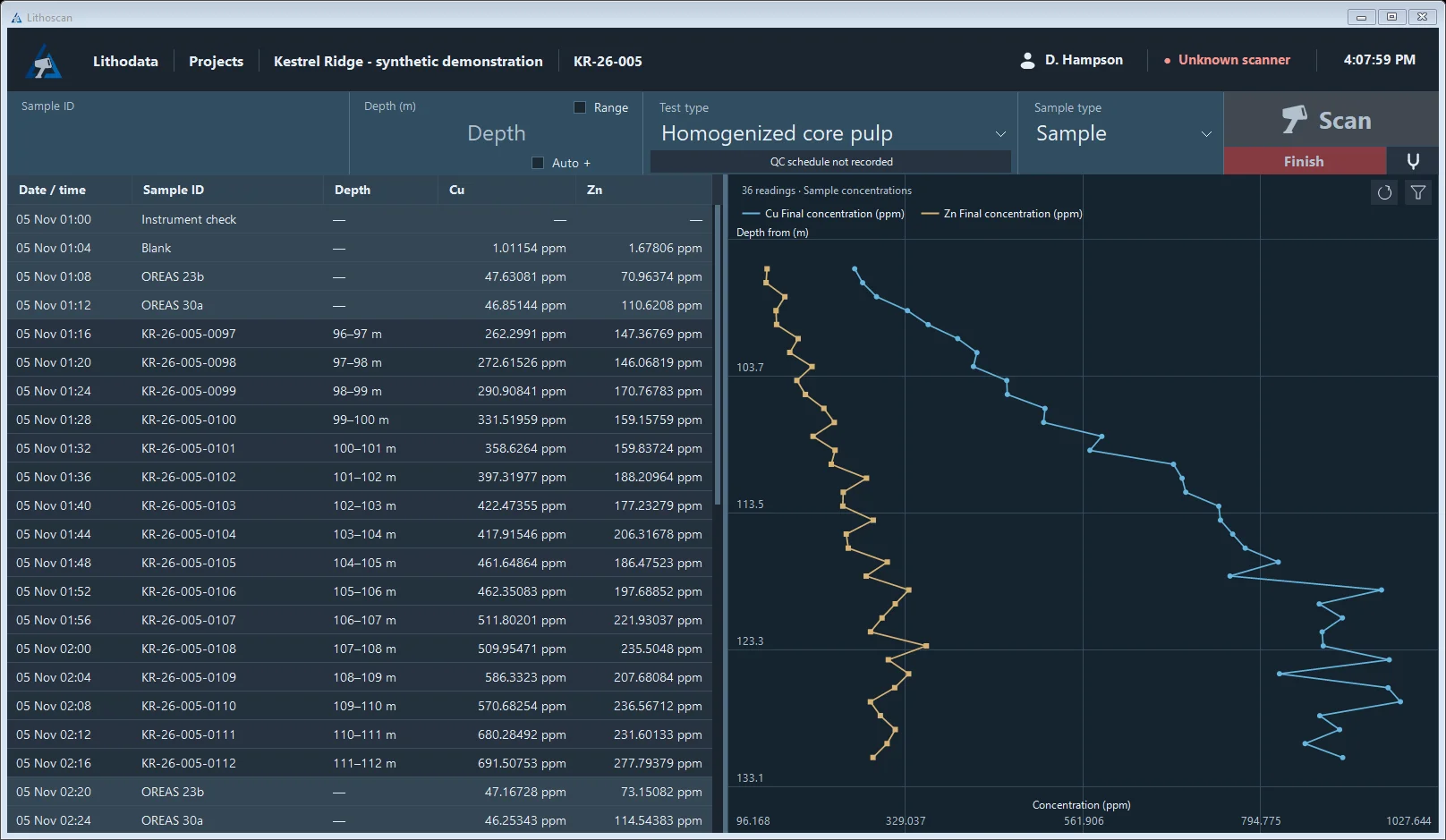
LithoScan connects to the scanner, organizes readings by project, hole and depth, runs scheduled QC as you work, and keeps every raw reading, failed check and correction on record until results are reviewed and explicitly approved.
Everything a scan session needs, in one place.
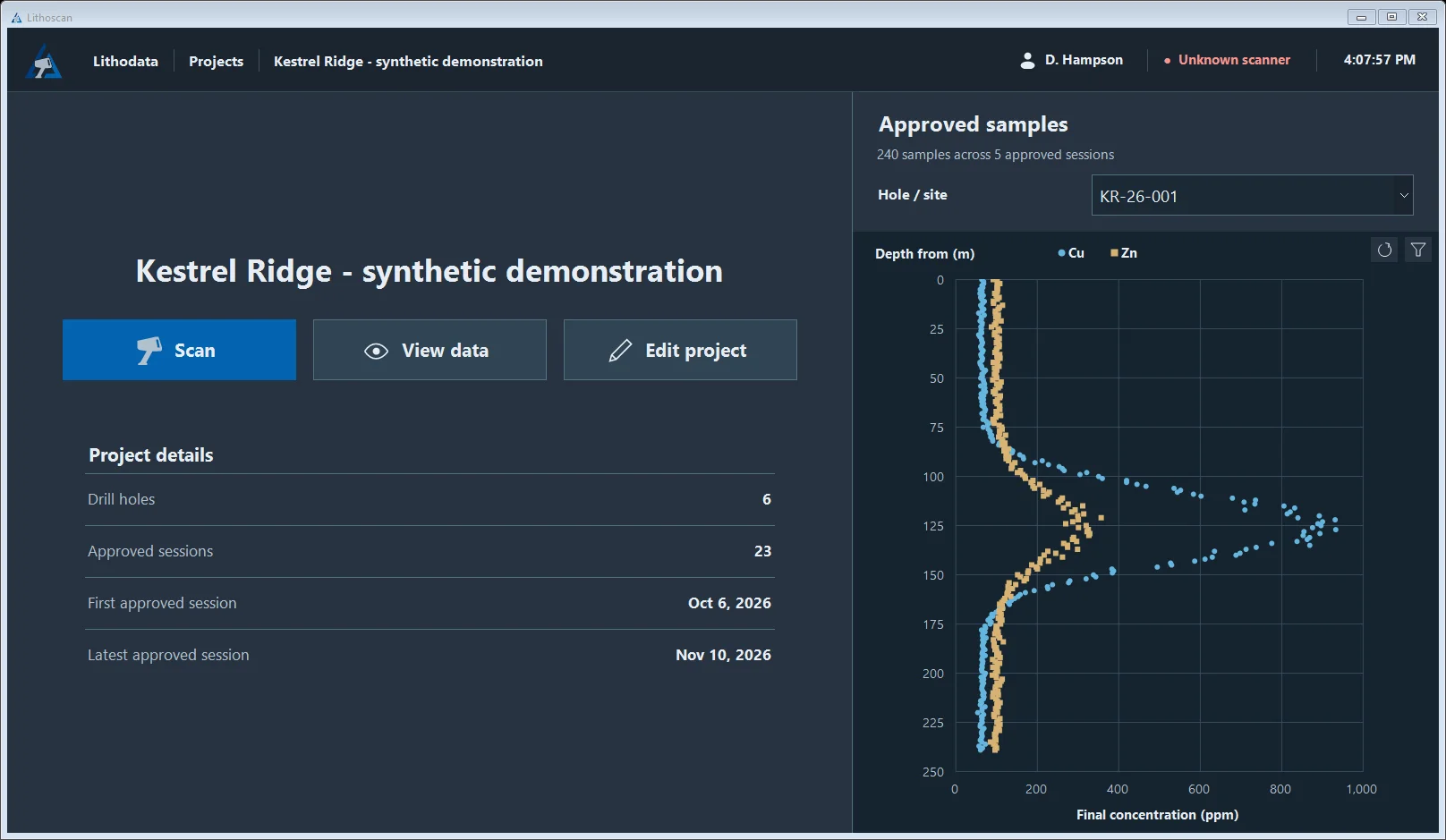
Each project groups its holes and sites, target elements, display units, reference materials, scanner conditions and operators. The project overview plots final concentrations from approved samples against depth, so the state of every hole is visible before the next session starts.
- Holes, sites and operators per project
- Target elements with chosen display units
- Approved depth profile for each hole
- Project-wide counts of approved sessions
From setup to approved results.
Set up holes, elements, reference materials, scanner conditions and the QC schedule.
Built for results that hold up.
Nothing is overwritten
Raw readings, failed checks and earlier correction factors stay on record. Retakes and adjustments are added beside them, not in place of them.
Approval is a deliberate step
Saving a reading, finishing a session and approving it are separate states. Only approved sessions reach depth profiles and exports.
Rules are fixed per session
A session keeps the QC schedule and scanner condition it started with, even if project settings change later.
Questions about LithoScan.
What does LithoScan record for each reading?
Each reading stores its chemistry at the raw, calibrated and final stages, along with the instrument, mode, operator, test type, hole, depth, capture time, corrections and stored spectrum where available.
How does QC work during a session?
Checks are scheduled for startup, at set sample intervals while running, and at shutdown. LithoScan prompts each check when it is due and assesses it against the criterion defined for the project.
Can a failed check be retaken?
Yes. A retake can be requested for the failed occurrence. A passing retake is recorded alongside the original failure, which stays in the history.
What formats can approved results be exported in?
CSV files (.zip), an Excel workbook (.xlsx) or a PDF report (.pdf). Exports can include the approved chemistry, a QA/QC summary and the selected graph.
When will LithoScan be available?
Contact Lithodata to discuss access and demonstrations for your team.
Contact us for additional information or for support.
Start an inquiry- Phone
- +1 604 250 8848
- info@Lithodata.ca